
Getting Started on Mobile
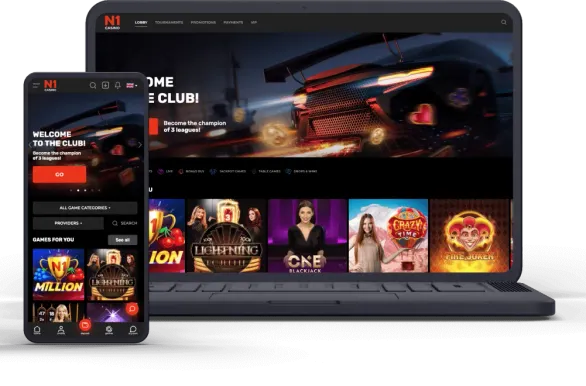
On mobile in Canada, we keep things simple. Android players can install our Android APK directly from the site or just stick with the Progressive Web App version in the browser. On iPhone and iPad, access goes through the PWA shortcut in the browser because there is no native N1 Casino app in the Canadian App Store right now.
The Android APK is 22.3 MB and includes the full lobby - slots, live dealer tables and other table games, classic games. Before installing, you have to allow apps from unknown sources in Android settings on your device. The Progressive Web App version only uses cached browser data, so it barely touches your storage.
Whichever option you choose, the feature set is the same as on desktop. Deposits, withdrawals, bonuses, KYC, settings - it is all managed right on the phone. During the first launch you can allow push notifications if you want updates about promotions and new games alerts.
Android APK Setup
On Android, installation runs through the Android APK file that we host on our own servers, so you are getting the official build from our site.
Basic flow for Android looks like this:
- Open your browser and go to our official site.
- Scroll to the mobile app block in the menu or footer.
- Tap on the Android download button.
- Wait until the 22.3 MB APK file finishes downloading.
- Open Settings, then Security or Apps & Security.
- Allow “Install Unknown Apps” for the browser you used.
- Open the Downloads section and tap the N1 Casino APK.
- Review permissions, then press Install.
- After setup completes, tap Open.
- Log in with your details or create a new account.
The Android APK does not update itself like Play Store apps. From time to time, visit our site, check if there is a newer version, uninstall the old build and then install the fresh one to avoid any conflicts.
PWA for iPhone and iPad
On iOS we rely on the Progressive Web App, which works around App Store rules while still keeping performance solid inside Safari.
To add N1 Casino as an icon on iOS:
- Open Safari first.
- Enter our official URL in the address bar.
- Tap the Share icon at the bottom of the screen.
- Scroll the menu and pick Add to Home Screen.
- Rename the shortcut if you like, then tap Add.
- Find the new icon on your home screen.
- Tap it to launch N1 Casino.
- Sign in or register a fresh profile.
The Progressive Web App launches full-screen, without browser UI. iOS saves your login and layout preferences locally, so returning sessions are quick. You still need an internet connection for games and payments, there is no offline play mode.
We strongly recommend doing this from Safari. Other browsers on iOS sometimes hide the Add to Home Screen item or break the layout a bit.
PWA on Android
On Android you do not have to pick the Android APK if you prefer browser-based access. The Progressive Web App version is a good fit when storage space is low or when you would rather avoid adjusting security permissions.
Typical PWA setup on Android:
- Open Chrome, Firefox or another modern browser.
- Go to our official website.
- Tap the three-dot browser menu.
- Choose Add to Home Screen (or similar wording).
- Confirm the shortcut creation.
- Use the new icon on your home screen to enter.
The update process for the Android Progressive Web App is not specified, so you do not deal with versions at all. On most mid-range and newer phones, performance is very close to the Android APK build.
What You Can Play
On mobile you get access to all major sections: over 250 live dealer rooms, hundreds of slots from different providers, plus regular table games such as roulette, blackjack and poker. The catalog is effectively mirrored from desktop, we do not cut specific titles for phones.
| Game Type | Available | Features |
|---|---|---|
| Slots | Full library | Touch controls, autoplay |
| Live Dealer | 250+ tables | HD streaming, in-game chat |
| Table Games | Everything | Bet limits, game history |
| Poker | Multiple types | Tournaments, cash games |
Screen rotation is automatic. Portrait orientation is usually more comfortable for slots and balance management, while landscape mode works better for live dealer layouts and multi-table poker.
All games are HTML5-based, so they adapt to different screen sizes and modern OS versions. For smooth play you need a reasonably stable connection and a device from roughly the last five years of devices.
Managing Your Account
On both Android APK and Progressive Web App version you manage your entire N1 Casino account without leaving mobile.
To make a deposit:
- Tap the account or balance icon.
- Select Deposit in the cashier.
- Pick your preferred payment method.
- Enter the amount in CAD.
- Confirm or authenticate in your payment interface.
- Approve the operation on our side.
- Funds usually land in your balance within a few minutes.
Withdrawals follow a similar path. Open the Cashier, select Withdrawal, choose the payout method, type the amount and submit the request. We process payouts around the clock, but bank and payment provider policies can still add a few extra days.
All promo offers sit under Promotions. Always check whether your account and country are eligible and read the wagering requirements. Some deals need a bonus code that you enter during the deposit step.